

Navigation

Get in touch
Logo
News

Web portals & apps

Complicated portals lose users.

Customers want to complete their requests, field teams need information on site and business units need a reliable overview. We develop web portals and mobile apps with suitable user workflows, transparent permissions and connections to your existing systems.

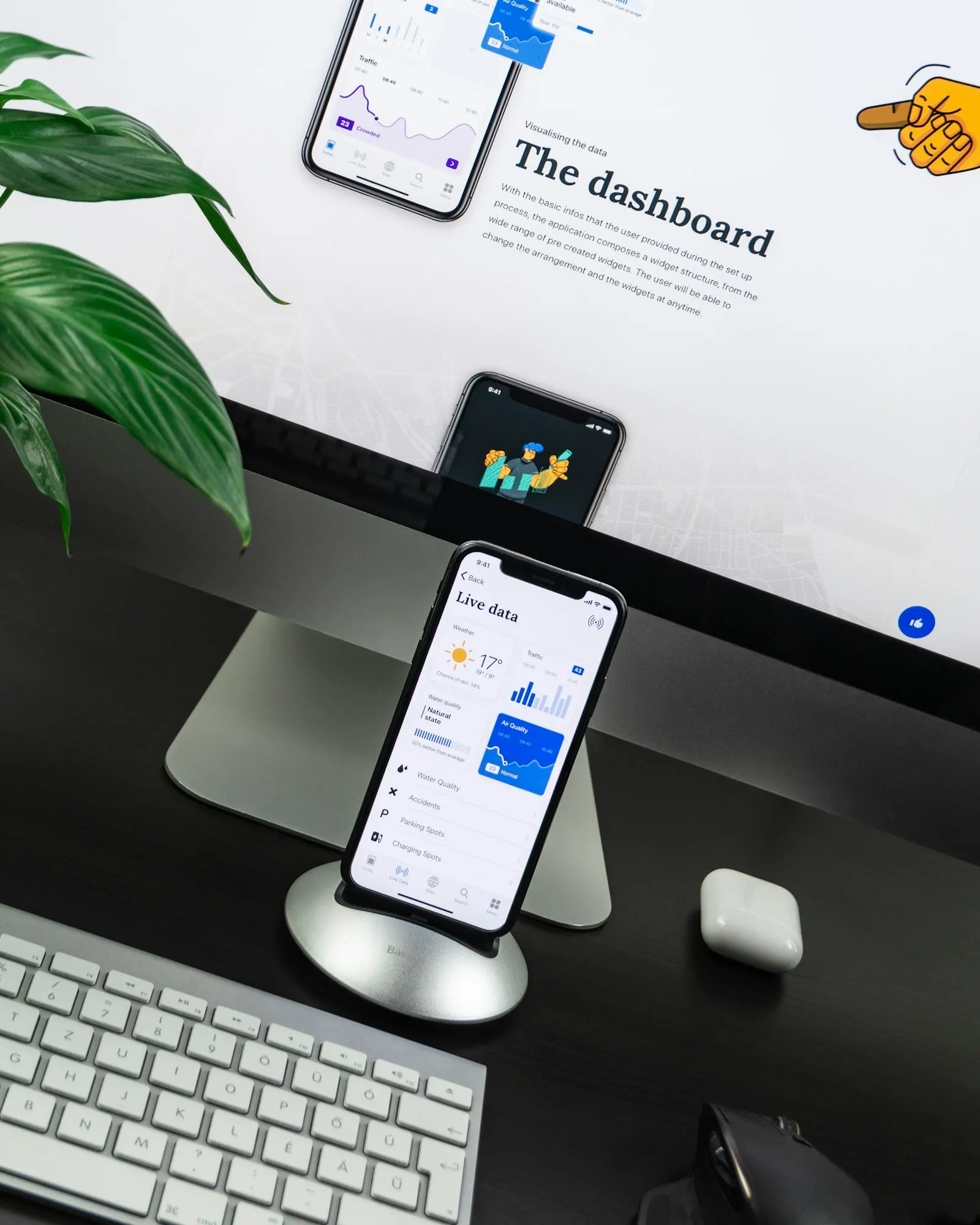
person holding black Android smartphone — illustrative image
From the initial task to the documented handover.

When this service helps

Web portals & apps: your brief for us.

  • Provide customer and partner portals
  • Support mobile workflows
  • Digitize forms and application processes

Web applications and mobile apps for customers, field teams and business units, with a backend that serves both channels through the same interface. We build user interfaces in React, Next.js or Vue, and apps cross-platform with React Native or natively in Kotlin and Swift, checked for accessibility under WCAG. We secure sign-in, sessions and offline data according to the OWASP guidelines for web and mobile.

What the assignment can include

  • Clickable prototype and user testing with the business unit or customers before development
  • Web frontend with React, Next.js or Vue, accessibility under WCAG 2.2
  • Mobile apps with React Native or natively in Kotlin and Swift, including publication in the stores
  • Sign-in via OpenID Connect, session protection and certificate pinning under OWASP MASVS
  • Offline capability, push notifications and telemetry with consent under GDPR

We define the specific scope, acceptance points and your involvement in the proposal.

The context at a glance

A good digital process leads all the way to the goal.

  1. 01

    Access

    Clarify identity and permissions

  2. 02

    Task

    Guide users clearly through the process

  3. 03

    Processing

    Securely hand data over to business systems

  4. 04

    Feedback

    Make status and next steps visible

Planning, implementation and decisions

What matters for Web portals & apps.

01

From first access to a completed case

A portal is helpful when users reach their goal without detours. We design complete workflows for sign-in, data entry, upload, follow-up questions and status tracking. Error cases belong in the concept: expired sessions, incomplete documents or an interrupted connection must not lead to the loss of work already entered.

Clickable prototypes make these workflows testable before implementation. Feedback from the business unit and the user group flows into navigation, forms and understandable feedback messages. A shared component system ensures that new features use the same interaction logic.

02

Web, progressive web app or native app?

The choice follows the use case. A browser-based portal offers easy access without installation. A progressive web app can be sufficient for certain mobile workflows; native or cross-platform apps become relevant when device interfaces, background processing or offline requirements call for them. We test the required capabilities on real devices.

Offline data needs rules for local storage, synchronization and conflicts. In a field service app, for example, it must be clear which change takes precedence when two people work on the same case. These questions affect the backend and permissions just as much as the user interface.

03

Accessibility and security in the usage context

Keyboard operation, recognizable focus states, understandable error messages and scalable fonts are part of the interface work. We agree with you on the required test scope for accessibility. A visual design or an automated scan alone is not complete evidence of accessibility.

We check access server-side for every role and every action. File uploads, sessions and data sharing each get their own protective measures. For the rollout, we plan test devices, app store approvals where applicable, support channels and introducing the application to your users.

Tools follow the task

Technology that fits your environment.

  • React
  • Next.js
  • Vue
  • React Native
  • Kotlin
  • Swift

The selection depends on existing systems, your team and later operations. Not every project needs all the technologies listed.

For business owners and technical teams

The decisions behind the implementation.

04

Identity, delegations and secure self-service processes

A customer account consists of more than a single login. Invitations, changes of organization, lost access, delegations and employees leaving must fit into the permission model. We clarify who is allowed to approve new users and which steps require renewed confirmation. Centrally managed identities can be connected; the business decision on a specific order still rests with the portal.

For application processes and uploads, we look at the entire path through to internal processing. File size, permitted content, quarantine and approval are planned, as are understandable status messages. A successful upload does not yet mean that a document has been checked or accepted. Drafts, automatic saving and continuing on another device need clear rules on visibility. Sensitive information should not appear by accident in notifications, URLs or diagnostic messages.

05

Offline use and synchronization without data chaos

A mobile application used in a warehouse or in the field cannot assume a permanently stable connection. We distinguish readable offline data from changes captured locally and define how long they remain valid. Large data sets are not copied to every device indiscriminately. User permissions, device storage and how to handle a lost device all feed into the concept.

By the time a connection is reestablished, the same record may already have changed on the server. A blanket rule of “last change wins” is unsuitable for many business processes. We define which fields can be merged automatically and which conflicts require a decision. Pending transmissions stay visible to users. Testing covers connection drops during sending, multiple retries, expired sessions and permission changes between capture and synchronization.

06

Usability under real conditions and a controlled rollout

A portal is not used only on a large development monitor. Long names, translations, enlarged fonts, on-screen keyboards and slow devices all change the layout. We therefore test complete tasks on relevant devices and with different input methods. Error messages explain what needs to be corrected and lead to the right place. A form must not lose its entries just because the login needs to be renewed.

For the introduction, we plan a limited group of users, available support and feedback from real workflows. With mobile apps, older versions can remain installed; the backend must account for the agreed transition period. Usage measurements should answer concrete improvement questions, for example at which point a case is abandoned. Which measurements may be used and what information they require is clarified before implementation.

Results you can verify

What you take away.

Result 01

Published app and web application with source code

Result 02

Design system and accessibility report

Result 03

Security assessment report under OWASP MASVS

Example project flow

This is what the engagement can look like.

A partner portal replaces email requests. Partners see only their own cases, upload documents and receive follow-up questions within the process. Internal processing uses the same data but different roles and approvals.

Illustrative scenario, not a customer reference or a guarantee of results.

This helps you get started

  • User groups and key tasks
  • Existing login and role model
  • Required devices and offline scenarios

Missing documents are not an obstacle. We work out together which information needs to be gathered first.

Your project in detail

Digital access for people and their actual tasks.

We develop portals and applications that do not just display information, but enable complete processes. The usage situation, device, permissions and feedback determine the design.

Look at a process from entry to confirmation

We examine how users reach the application, what information they bring with them and where they need support. Login, forms, uploads and status messages are designed as one coherent flow. Saving a sensible intermediate state can spare users from re-entering all details after an interruption.

For mobile use, we check input types, keyboard behavior and available screen space. Keyboard operation, clear labels and recognizable error messages are taken into account in the design. The specific accessibility review is planned according to the agreed requirements and is not replaced by an extra toolbar.

Connect the portal and the business system cleanly

An attractive user interface must not become an insecure shortcut into the internal system. We design interfaces with limited permissions, validate input on the server side and handle files according to the intended protection concept. Status displays must be able to distinguish between “received”, “in progress” and “completed in business terms”.

Public-facing services add requirements for findability, load time and the delivery of essential content. For closed portals, identity, separation of organizations and support are often the priority. Priorities are set according to the user process, rather than by applying the same technical template to every application.

Illustrative project scenario

How the service helps in everyday use.

Example: Business customers are meant to submit documents and see their processing status. We develop upload, acknowledgment of receipt and follow-up queries as one flow. A successful technical upload is not confused with a business approval; both states are clearly recognizable.

This example explains a possible process and is not a customer reference.

Before you place an order

Your questions about Web portals & apps.

Can the portal and the app use the same backend?

Yes, if the data model, permissions and interfaces are designed for it. Shared services avoid duplicate business logic. The interaction flows are still adapted to each channel; a small display often needs different interaction steps than a desktop workstation.

What is part of offline capability?

Besides locally stored data, offline capability requires conflict rules, secure storage and a visible synchronization status. We define which actions are allowed offline and how errors are handled during later synchronization. Offline capability is tested against concrete workflows.

Do you also take on existing user interfaces?

After reviewing code, components, usage data and technical limits, we can improve individual processes or plan a gradual renewal. A complete replacement is not automatically necessary. Often, an end-to-end application process already delivers more value than a purely visual redesign.

The next step

Tell us where things are stuck today.

A short description of your application, the problem and your goal is enough to get started. The selected service is carried over into your contact request.

Request this service

Our Partners

  • Microsoft
  • Microsoft Azure
  • Amazon AWS
  • Google Cloud
  • Thales Group
  • Arrow ECS
  • Vodafone
  • IBM
  • Veeam
  • Atlassian
  • JetBrains
  • NinjaOne
  • OPSWAT
  • Utimaco
  • Eviden

Accessibility

Adjust the display to suit your needs.

A simple version is not available for this page yet.

Settings currently apply to this visit. Allow saving in Cookie settings to remember them.