
Navigation

Get in touch
Logo
News

File security / File scanning & CDR

One file. One possible attack.

As an OPSWAT partner in Germany, OTOKO® integrates MetaDefender Core into your applications and transfer processes. Customers upload documents, suppliers transfer archives and teams import files from emails or downloads. Each of these paths needs controlled processing: analyze, sanitize by policy, release or hold back, with traceable decisions for operations and the SOC. Our joint OPSWAT Bootcamp in Cologne in 2026 also shows the partnership in practice.

Services in detail
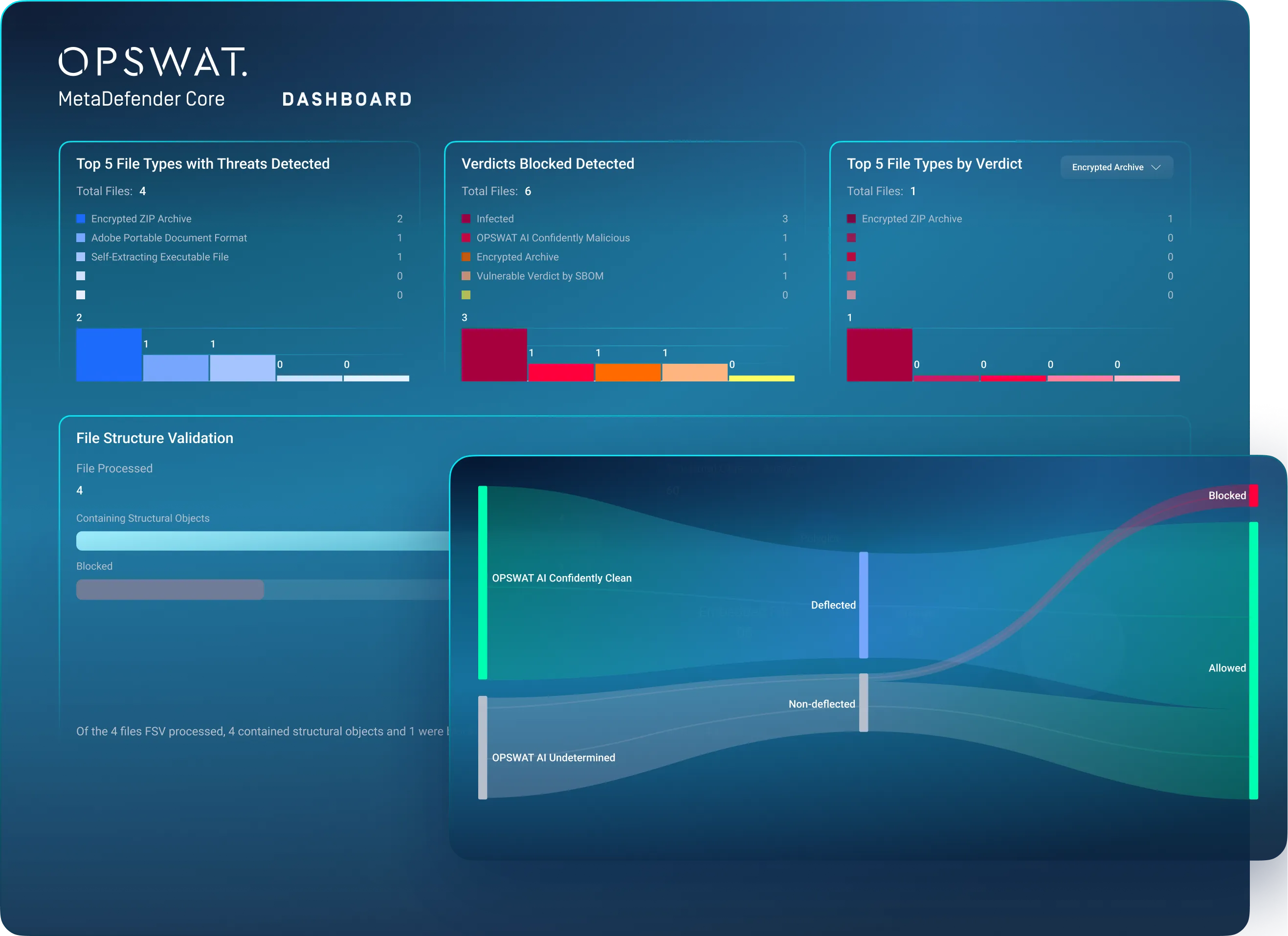
OPSWAT product image: MetaDefender Core dashboard with file and scan results
OPSWAT
OPSWAT MetaDefender Core

Analysis, integration and documented handover

CRITICAL / THREAT LANDSCAPE 202682%

of CrowdStrike detections in 2025 were malware-free.

Attackers do not always need malware.

The Global Threat Report 2026 shows how attackers abuse valid credentials, trusted identity processes and authorized SaaS integrations. Separately, CrowdStrike reports 89% more attacks by AI-assisted actors in 2025 compared to 2024.

Software supply chains are also in focus: the Threat Hunting Report 2026 describes how ALTERED SPIDER compromised over 300 software dependencies in a single day to steal credentials and move into cloud environments.

For your defenses, this means: file scanning, content sanitization and DLP control files at defined transition points. They do not replace identity, cloud or AI protection. We integrate file inspection into your uploads, downloads and transfers as part of a multi-layered security concept.

How we protect your file flows
CrowdStrike Global Threat Report 2026 · observation year 2025CrowdStrike Threat Hunting Report 2026 · reporting period 2025-07-01 to 2026-06-30This is based on CrowdStrike’s own observations and threat intelligence. The 82% figure denotes malware-free detections, not a share of file-based or AI-caused attacks. The 89% figure is a separate rate of change; the 300+ dependencies relate to a specific case.

OTOKO® × OPSWAT / Cologne 2026

A partnership we put into practice together.

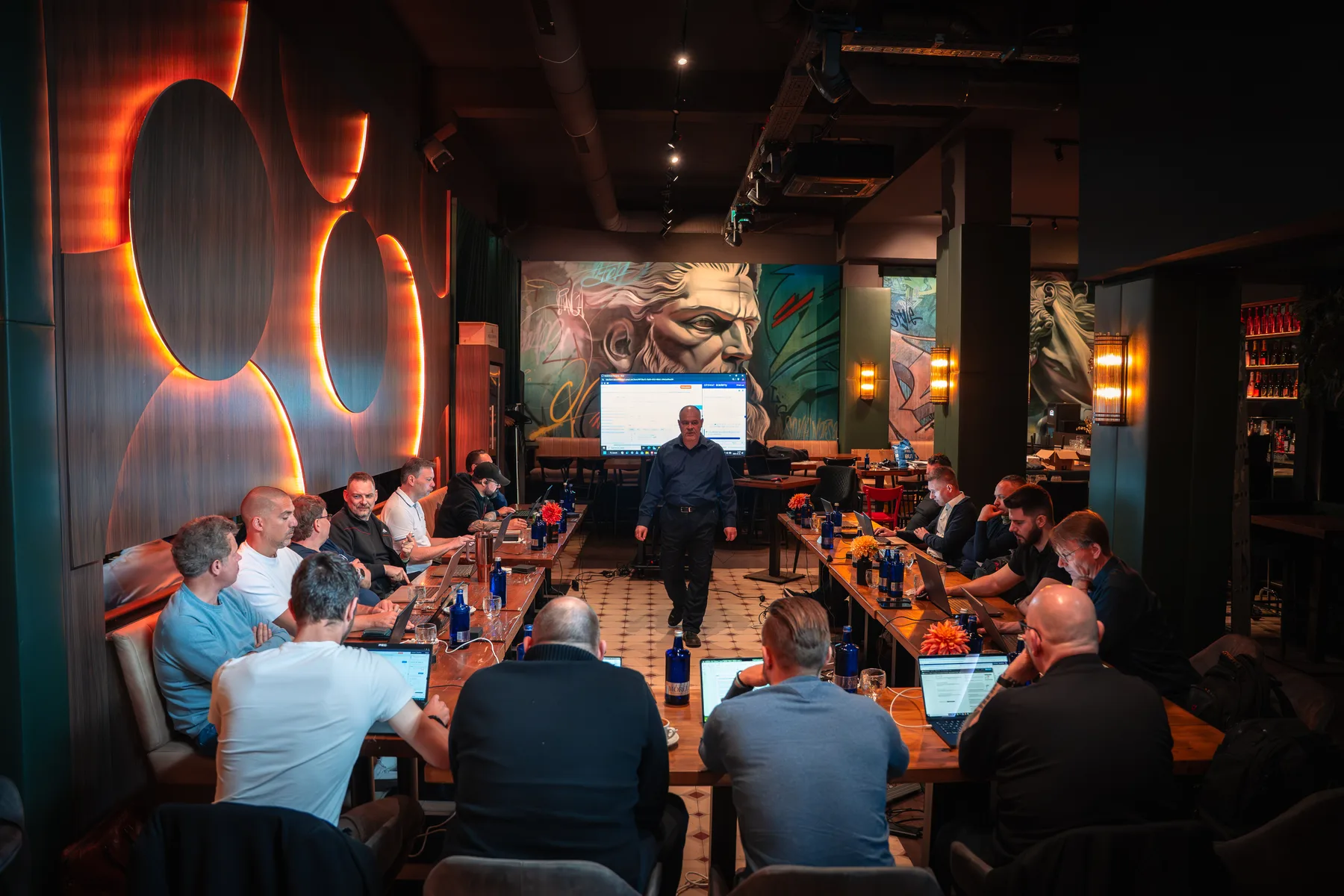
As an OPSWAT partner in Germany, we combine product selection and technical implementation with direct dialogue. In 2026, we held the OPSWAT Bootcamp in Cologne. The film offers insights into the joint work, conversations and on-site training.

OTOKO® x OPSWAT Bootcamp · Cologne 2026 · 1:27 min · English subtitles are shown in the film.

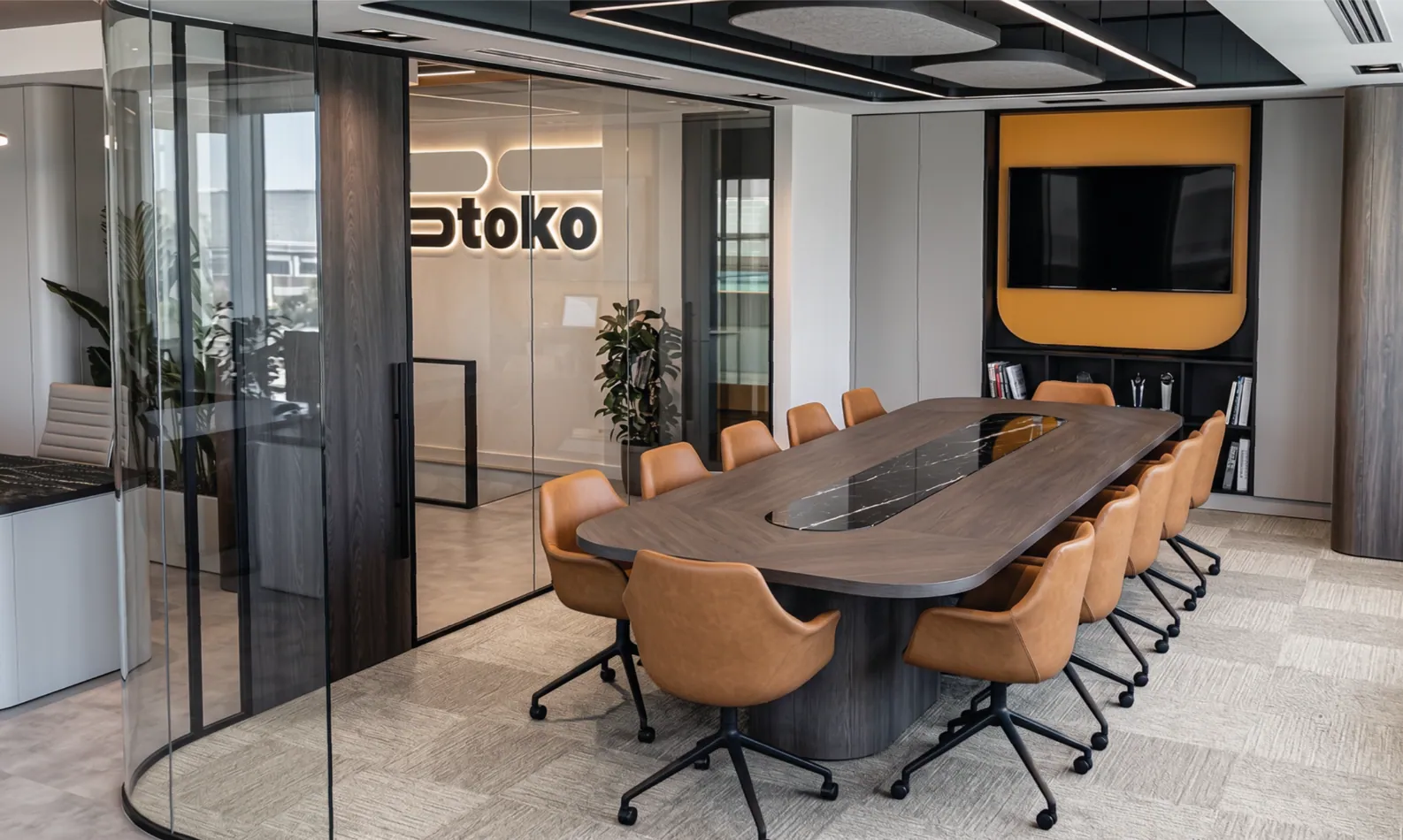
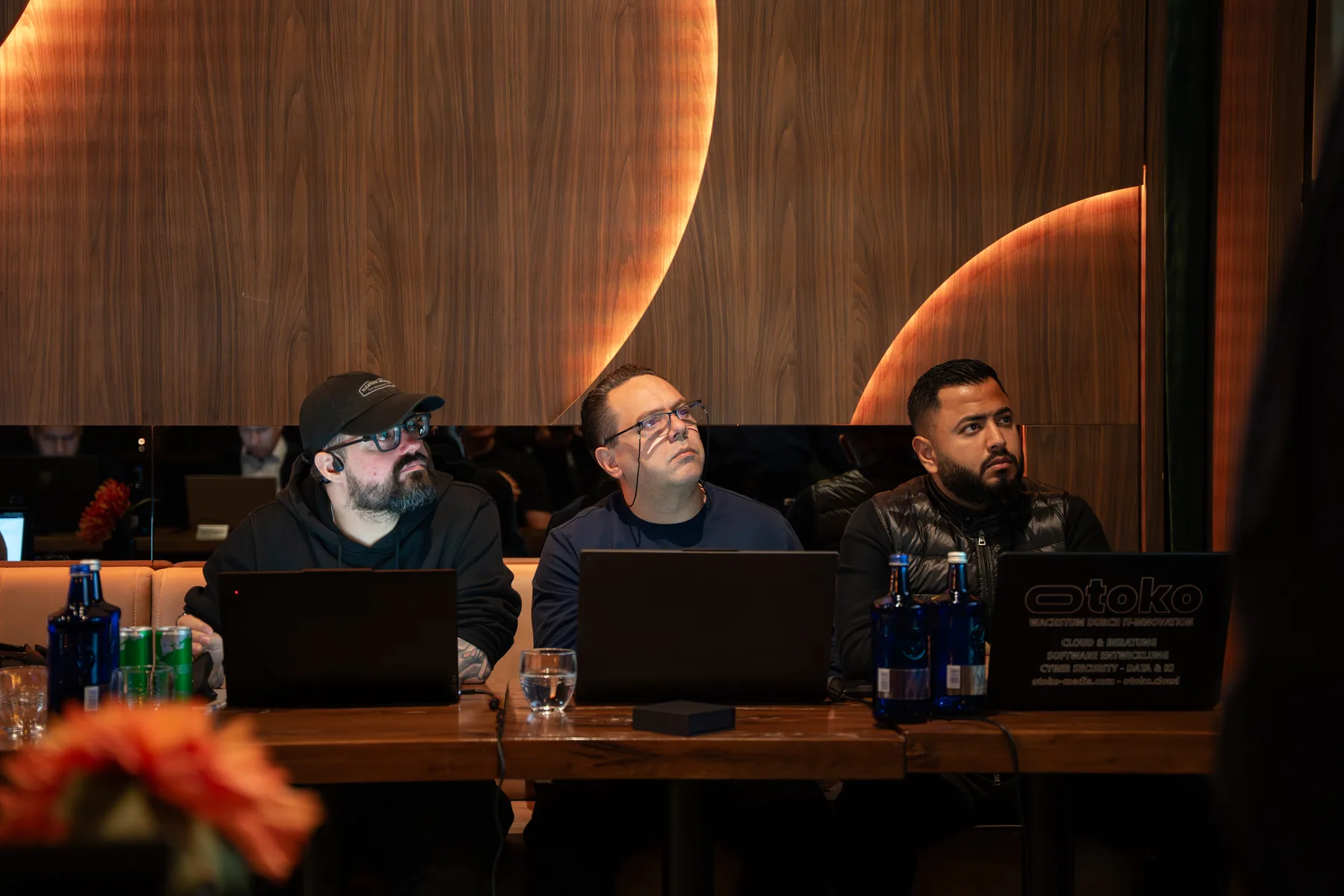
In the film: impressions from the training room, conversations with participants and the handing out of participant materials. The photos show our team and the joint session in Cologne.

Your brief for OTOKO®

File scanning & CDR: what we take on for you.

The work packages are derived from your current situation. Your team knows the agreed scope, the required involvement and the results that should be available at handover.

Integrate upload and transfer paths

We determine the point at which a file is held back and checked. The application, the scan job and the release are connected so that downstream processes cannot access the file before the intended scan result is available.

Your result

Integrated check-and-release flow for the agreed file channel.
Define scanning and sanitization policies

File types, active content, archive limits and desired modules are agreed. Results lead to defined actions: allow, provide in sanitized form, block or check manually. Exceptions and files that cannot be checked follow a separate path.

Your result

Documented policies and reviewable decision paths.

Include data protection and data egress in the planning

Which content may be processed internally or transferred to other services? We record requirements for data location, retention, logs and telemetry. Classified content is not passed to public services without a permitted, coordinated processing path.

Your result

Data flow and retention concept for the chosen mode of operation.

Connect the SOC, operations and applications

Results, error messages and operating states are routed to the intended recipients. Load, wait times and failure scenarios are tested. A scan error is not silently treated as a harmless file.

Your result

Operating procedures with monitoring, escalation and reviewable logs.

Multiscanning / AV technology partners

More perspectives on every file.

We support the integration of the following AV vendors through OPSWAT. Together, we select the engine package that fits your file types, security requirements and operating environment. Which engines are available and active at the same time depends on license, platform, version and configuration.

  • ClamAV
  • Harbin AhnLab Technology
  • Avira
  • ESET
  • Bitdefender
  • K7 Computing Private
  • Quick Heal Technologies
  • TG Soft
  • Varist / OK
  • Emsisoft
  • IKARUS Security Software
  • INCA Internet
  • ALL IT Services
  • Antiy Labs
  • Xcitium
  • Trellix
  • Sophos
  • CrowdStrike
  • OpenText
  • Lionic Corp
  • Filseclab Corp
  • Huorong Security
  • Microsoft
  • Netgate Technologies
  • Cyberstanc
  • Xvirus
  • Systweak
  • Arctic Wolf
  • CMC Cyber Security
  • BKAV Corporation
  • Gridinsoft
  • SentinelOne

This overview describes scanning vendors supported within the OPSWAT environment. It does not state that OTOKO® has a separate, direct partnership with each vendor. OPSWAT engine packages and licensing.

Inside MetaDefender Core

From scan results to clear workflows.

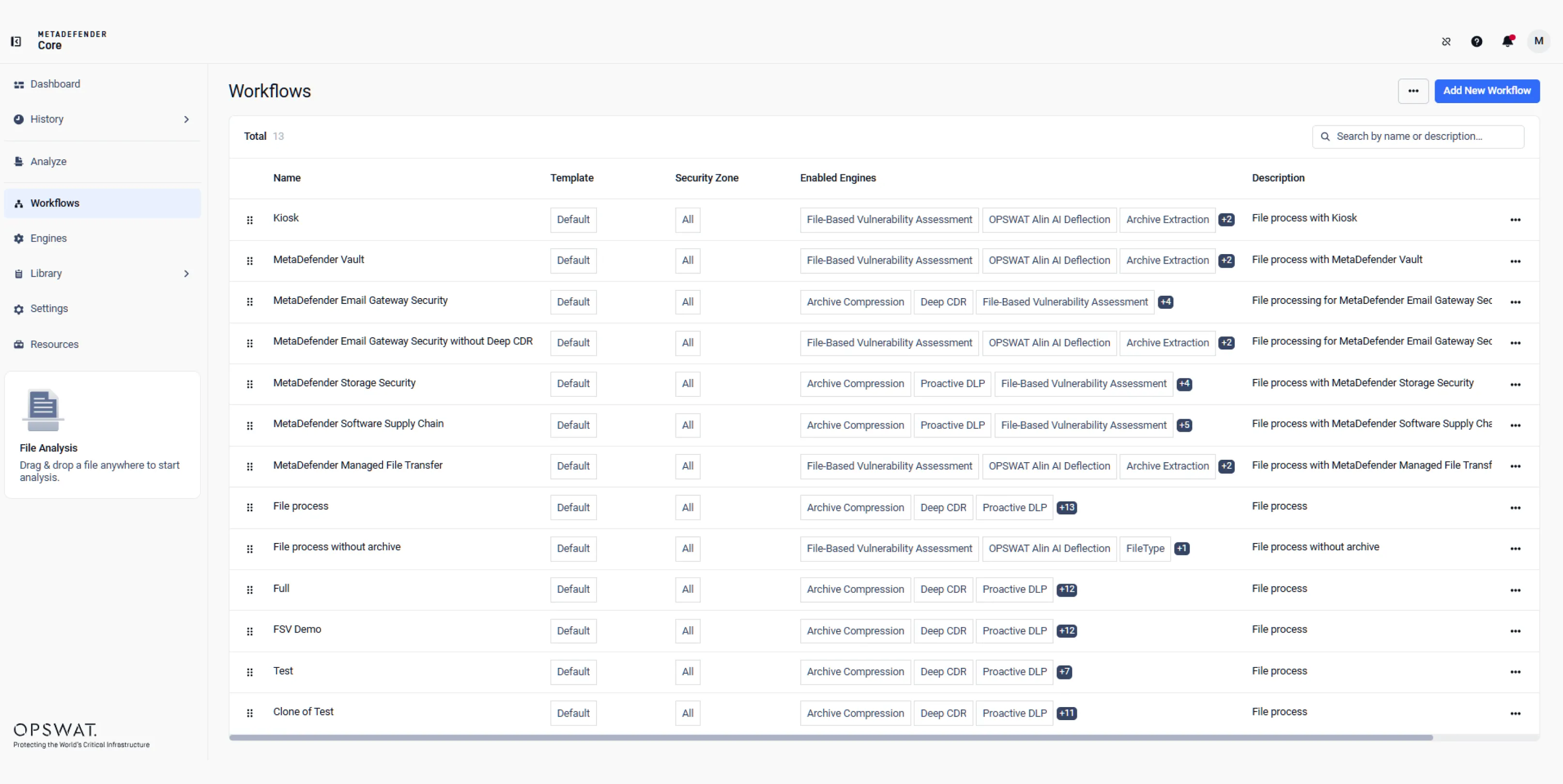
Which file is checked, which steps follow and when may it be processed further? We translate your requirements into coordinated workflows. This makes it clear to operations and those responsible how incoming files are handled and where a decision is required.

MetaDefender Core: workflow overview with security zones and activated scanning engines
Official OPSWAT product image: workflow management in MetaDefender Core. Open the image for an enlarged view.

OPSWAT MetaDefender Core

Multiple layers of checks. One defined decision.

Feature scope, number of engines and supported formats depend on version, license and configuration. The following vendor features are selected for your file inventory and verified in a pilot.

Deep CDR: controlling active content

Scripts, macros and disallowed content are removed according to policy, or the content is reconstructed. OPSWAT states support for 200+ file types. Which functions need to be preserved is checked with a representative file set.

Multiscanning with multiple engines

Depending on the package, 30+ anti-malware engines as well as additional heuristic and ML methods can be used. The 99%+ detection rates stated by OPSWAT are vendor- and test-specific, not a guarantee for every file or configuration.

Detecting the actual file type

The file structure is examined in addition to the extension to detect disguised formats and conflicting information. The available detection, including AI-supported methods, depends on the selected module version.

Extracting archives in a controlled way

OPSWAT lists 30+ archive formats. Nesting and resource limits are taken into account in the policy. Encrypted archives need a supported format and a legitimately provided password for the content check.

Assessing file-based vulnerabilities

Files and software components are checked for detectable known vulnerabilities before they enter the intended process. This complements malware detection but does not replace a full application penetration test.

Adaptive Threat Analysis

Emulation-based sandbox analysis provides additional indicators and IOCs for assessing suspicious files. We define when this analysis is needed and how its result affects the release decision.

Incorporating threat intelligence

Current analysis and reputation information can supplement the decision. External queries, update channels and transmitted metadata must match the permitted operating model of your environment.

DLP and content controls

Sensitive content can be detected, redacted or watermarked according to policy. Additional content controls for sexual imagery or offensive text are assessed specifically based on the available modules and your use case.

Assessing origin and vendor

Information about country of origin and vendor can support policies against unwanted sources. Such indications are treated as an assessment signal, not as sole proof of a trustworthy origin.

SBOM and component assessment

Software bills of materials make detected components visible in supported code and container artifacts. Known vulnerabilities can be mapped; the scope and limits of detection are assessed in the pilot.

Dashboard and SIEM connection

Results, logs and operational information are made usable for the people responsible and the SOC. Access, retention and export are coordinated so that sensitive metadata is handled appropriately too.

Feature and performance information according to OPSWAT MetaDefender Core . No blanket promise of complete threat detection.

Operating models

Scanning where your data may be processed.

On-premises

For centralized processing and controlled data storage. Capacity, update channels and required external connections are assessed against the expected file volume.

Cloud

For cloud-based applications and integrated processing. Who is responsible for operations and the data location, and which services are permitted, is agreed explicitly.

Cloud Image

Preconfigured deployment on AWS, Azure or GCP as offered by the vendor. Configuration, hardening and support remain part of the specific setup.

Container & Kubernetes

For containerized processing and dynamic load. Scaling, queues, persistent data and resource requirements are planned together.

Distributed Cluster

For larger volumes, parallel processing and central control. Availability, failure scenarios and required capacity are tested before acceptance.


From upload to transfer

File security at the handover points.

Secure uploads

Check customer, partner and supplier files, and sanitize them if necessary, before they are imported into a portal, DMS or business application.

Email attachments

Integrate the check into the intended delivery path; sanitization and DLP must match the desired function and the integration components used.

Downloads

Run files from the internet, cloud or linked sources through a defined check before they are put to operational use.

Internal and external transfers

Embed file checking in controlled handovers between networks. An air-gap or domain transition additionally requires a matching overall architecture.

SOC investigations

Provide analysis results and IOCs for investigations, and handle suspicious files through a controlled process.

Limiting data leakage

Check outgoing files for defined sensitive content and hold back or redact them according to policy before they pass the intended handover point.

Planning & implementation

File scanning & CDR in everyday project work.

Connecting detection and sanitization into a release process

A positive or negative scan result does not answer every question an application raises. Which file types does the business actually need, which active content is allowed and what should happen with an unknown result? Together, we define the rules based on the actual business process. Multiscanning and Content Disarm and Reconstruction are used as complementary methods. The file needed for the business process is not simply passed on unchecked; its processing state determines whether and in what form it reaches the next step.

Sanitization can change content and must therefore be tested with representative documents. Macros or other active elements can be relevant to a business process even though a protection policy calls for their removal. Such conflicts require a deliberate decision. For encrypted archives, the content must first be made accessible with a legitimately provided password; a scanner cannot simply bypass unknown encryption. Clear exception and quarantine procedures are therefore agreed for files that cannot be checked, format errors and exceeded limits.

Aligning integration and operating model with volume and protection needs

The suitable deployment depends on file volume, size, format mix and the permitted wait time. A central checking point for predictable volumes has different requirements from highly fluctuating uploads in a SaaS application. Together, we look at the intended throughput and the required modules, and test a representative set of files. From this, we derive capacity, queues and behavior during disruptions. An available cloud image or container is one deployment path, not yet a fully set up and managed service.

For on-premises or isolated environments, updates, licensing and the permitted exchange of information also come into play. Engine updates and external reputation or intelligence queries must fit the operating concept. Moreover, a file scanning system alone does not create an approved connection between security domains. Where controlled transfers or air-gap procedures are required, the check is embedded in the overall process intended for that purpose. The permitted architecture and its approval remain a separate project decision.

Making evidence and decisions usable for applications and the SOC

Applications need a clear answer, while a SOC needs additional detail for investigation. We therefore separate the release status that the business process relies on from the deeper analysis information. Results are linked to the intended file operation, and logs are delivered to the agreed recipients. Retention and access rights must be chosen deliberately, because reports and metadata can themselves contain sensitive information. For manual checks, responsibility and the conditions for a later release are documented.

Before production use, permitted files, expected blocks and technical error cases are tested. This includes timeouts and incomplete analyses as well as regular results. Vendor metrics describe specific product scopes or tests and are not a guarantee that every threat will be detected. What matters for your project are the modules actually licensed, your policies and the tested operating procedures. The handover documents this basis and records how new file types or changed requirements are incorporated.

Illustrative project scenario

Example: uploads in a customer portal

A document initially remains in a designated intake area. After file type checking, scanning and, where necessary, sanitization, the application receives a defined status. Only released content is taken into the business process; errors and files that cannot be checked go into a defined exception path.

Before you start

Questions about File scanning & CDR.

Does MetaDefender detect every kind of malware?

There is no universal detection guarantee. OPSWAT states high detection rates for specific product scopes and tests. Actual protection depends, among other things, on modules, updates, policies and the files themselves.

Can encrypted archives be checked?

With a supported format and a legitimately available password, the content can be extracted for checking. Without access to the plaintext, a content check remains limited; a separate procedure is therefore agreed for files that cannot be checked.

Is offline operation possible?

A suitable on-premises setup is planned based on the product version, modules, licenses and update paths. Online queries and data transfer must be assessed or excluded for the specific environment.

Are scanning, DLP and SBOM always included in the base scope?

The available feature scope depends on the product version, platform, configuration and license. Before implementation, the required modules and their availability are checked for the specific case.

Related services

Go to the cybersecurity overview

File scanning & CDR with OTOKO®

Describe your project. We will clarify the right starting point.

Name the affected systems and the goal of your request. In the first consultation, we jointly define scope, preconditions and the next steps.

Discuss File scanning & CDR

Our Partners

  • Microsoft
  • Microsoft Azure
  • Amazon AWS
  • Google Cloud
  • Thales Group
  • Arrow ECS
  • Vodafone
  • IBM
  • Veeam
  • Atlassian
  • JetBrains
  • NinjaOne
  • OPSWAT
  • Utimaco
  • Eviden

Accessibility

Adjust the display to suit your needs.

A simple version is not available for this page yet.

Settings currently apply to this visit. Allow saving in Cookie settings to remember them.